
 Free Consultation
 PCI-DSS Compliant
 GDPR Ready
 ISO 27001
 NDA Protected
 AI Services
 AI App Development
 Generative AI Development
 AI Chatbot Development
 AI Integration Services
 AI For Fintech
 AI Financial Assistant Solution
 AI Insurance Agent Development
 Tech Stack
 OpenAI / GPT-4
 Claude / Anthropic
 Gemini / Google AI
 Llama / Open Source
 LangChain / LlamaIndex
 Pinecone / Pgvector
 AWS / Azure AI


 Fintech Solution
 Core Fintech
 Fintech App Development
 Neobank App Development
 eWallet App Development
 Payment Integration
 Lending Software
 Banking Software Development
 BNPL Solution
 BNPL App Development
 Insurance App
 Investment App Dev
 Wealth Management App
 Crypto & DeFi
 DeFi App Development
 Crypto Wallet Dev
 Crypto Exchange Dev
 Trading Platform Dev
 Payments
 Compliance
 Fintech & Digital Regulations
 Fraud Detection
 Lending Ecosystem
 P2P Lending Platform
 Mortgage Lending
 Engagement
 Outsourcing Dev

 Mobile Development
 Mobile App Dev
 iOS App Development
 Android App Development
 React Native
 Flutter Development
 Web Development
 Node.js Development
 React.js Development
 Angular Development
 PHP / Laravel
 App Services
 UI/UX Design
 App Maintenance
 By Stage
 MVP Development
 Industry Solutions
 Healthcare App Dev
 Education App Dev
 Travel App Dev
 Real Estate App Dev
 Logistics Software
 Social Media App

 Hire Mobile Developers
 Hire iPhone Developers
 Hire Android Developers
 Hire React Native Devs
 Hire Flutter Developers
 Hire Web Developers
 Hire Node.js Developers
 Hire Angular Developers
 Hire PHP Developers
 Hire Laravel Developers
 How It Works
 Pre-Vetted Developers
 Ready In 48 Hours
 NDA From Day One
 Replace Guarantee
 Company
 About Us
 Our Work Process
 Portfolio
 Case Studies
 Blog / Insights
 Careers
 Contact Us
 Awards
 Recognition


 Offices


Key Takeaways:
- Custom ACH payment software development makes sense if you process 50K+ transactions/month or if payments are a core product feature.
- You need 4 things to build it: an ODFI bank partner, a NACHA file engine, bank account validation, and return handling.
- NACHA compliance is non-negotiable; get authorization workflows, return rate monitoring, and encryption right from day one.
- Build vs buy break-even is roughly $5K-$8K/month in third-party fees, above that, building pays for itself in 18-24 months.
- Expect $100K–$200K and 6-12 months for a production-ready system.
- The biggest mistakes: skipping compliance early, weak return handling, and no security audit before launch.
- Nimble AppGenie builds custom ACH payment software for fintech teams with NACHA compliance, ODFI integration, and security built in from day one.
In 2025, the ACH network processed 35.2 billion payments, nearly 5% more than the year before, with a total value of $93 trillion, an 8% increase year over year.
If you are building a fintech product, a SaaS platform, or an enterprise payment system, you may be asking: “Should I build my own ACH payment software or use a third-party provider?”
The answer depends on your use case. But if you decide to build custom ACH payment software, this guide gives you everything you need to do it right.
In this step-by-step guide, you will learn:
- What is ACH payment software, and how does it work
- The core features you need to build
- NACHA compliance requirements for ACH software in plain English
- A step-by-step development roadmap
- Real costs and timelines
- ACH software security best practices that protect your users
What Is ACH Payment Software?
ACH stands for Automated Clearing House. It’s the electronic network that moves money between US bank accounts.
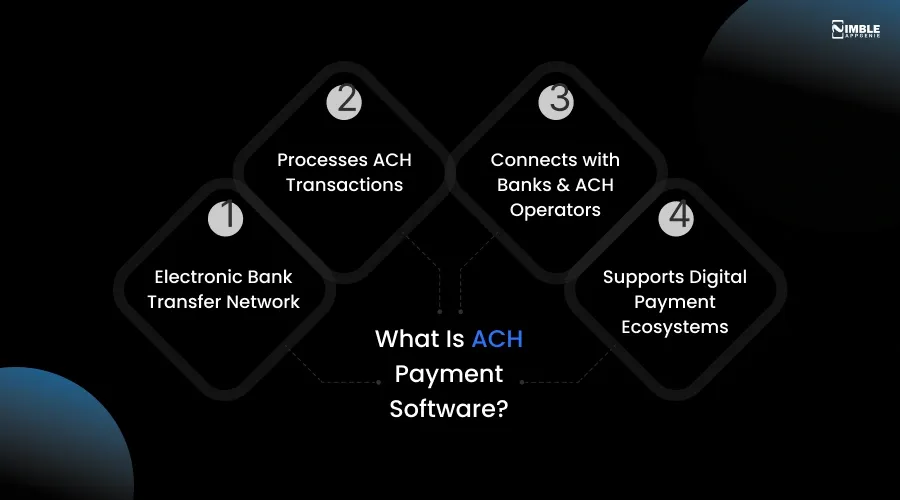
ACH payment software is any application that originates, processes, receives, or manages ACH transactions. It’s the technical layer that communicates with the ACH network through a third-party ACH operator or a financial institution.
To understand where ACH fits in the broader ecosystem, it helps to first understand how eWallets, payment gateways, and payment processors differ.
Here is how ACH payment software works:
- You initiate a payment in your software (e.g., a payroll run or a customer billing)
- Your software creates a NACHA-formatted file with transaction details
- The file is sent to your ACH processor or bank, which forwards it to the ACH network
- The network routes the payment to the recipient’s bank
- Funds settle typically within 1-3 business days (same-day ACH is also available)
ACH vs Other Payment Methods
| Feature | ACH | Wire Transfer | Credit Card |
| Speed | 1-3 days | Same day | Instant (auth) |
| Cost | $0.20-$1.50 | $15-$50 | 2-3% + fees |
| Reversible? | Yes (limited) | No | Yes (chargebacks) |
| Best For | Recurring, high volume | Large urgent transfers | Consumer purchases |
ACH is the clear winner for high-volume, recurring, and B2B payments, and it sits at the core of modern fintech payment infrastructure. That’s exactly why so many companies want to build custom ACH software.
Should You Build Custom ACH Software or Use a Third-Party Service?
Before you write a single line of code, you must make the most crucial decision in this process: build vs buy ACH payment software.
When to Build Custom ACH Software:
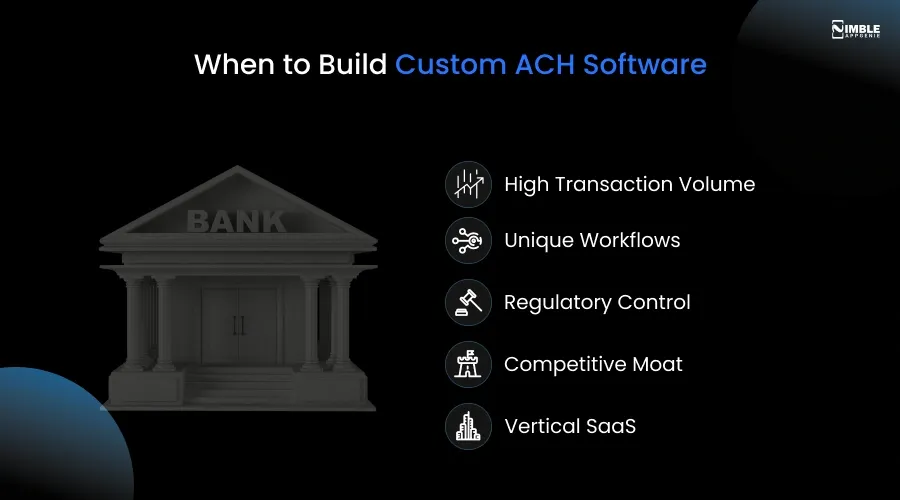
- High Transaction Volume: You process millions of transactions every year, and third-party fees eat your margins.
- Unique Workflows: Your payment flows don’t fit the mold of off-the-shelf solutions.
- Regulatory Control: You want direct supervision of compliance and audit trails.
- Competitive Moat: Payment infrastructure is a chief differentiator for your product.
- Vertical SaaS: You are developing industry-specific software (e.g., real estate, healthcare, or payroll) that requires embedded payments.
Understanding the latest fintech trends can help you decide whether building proprietary payment infrastructure makes sense for your product roadmap.
When to Use a Third-Party Provider
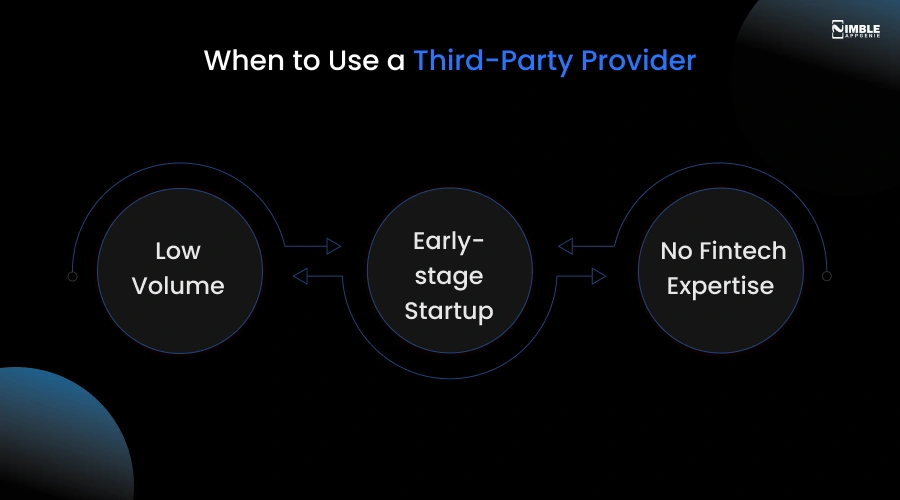
- Low Volume: Processing fewer than 10,000 transactions per month.
- Early-stage Startup: You need to ship rapidly and validate before investing in infrastructure.
- No Fintech Expertise: Your team lacks experience with ACH file formats and banking regulations.
Custom ACH Software vs Third-Party Processor: Quick Comparison
| Factor | Custom ACH Software | Third-Party Processor |
| Upfront Cost | $100,000 – $200,000+ | Low to none |
| Per-Transaction Cost | Near zero at scale | $0.20 – $1.50 per transaction |
| Time to Launch | 6 – 9 months | Days to weeks |
| NACHA Compliance | Your responsibility | Handled by the provider |
| Customisation | Full control | Limited to the provider’s API |
| Scalability | Unlimited | Provider-dependent |
| Vendor Lock-in | None | High |
| Best For | High volume, unique workflows, competitive moat | Early-stage, low volume, fast launch |
If your situation fits the build column, the question is not whether to build; it is who you build with.
Custom ACH development involves ODFI negotiations, NACHA file format precision, return rate management, and security architecture that most product teams encounter for the first time. Mistakes at any of these stages can delay your launch by months or put your banking relationship at risk.
Nimble AppGenie specialises in exactly this: helping fintech teams across the US and UK navigate the full ACH build, from architecture design and ODFI onboarding to compliance review and production launch. If you are in the build column, talk to our team before you start.
Now, let us get into how to actually build it.
Core Features of Custom ACH Payment Software
Not all ACH software is the same. What you build depends on whether you are an originator, receiver, or both.
Below are the must-have ACH transfer software features.
Must-Have Features of Custom ACH Payment Software
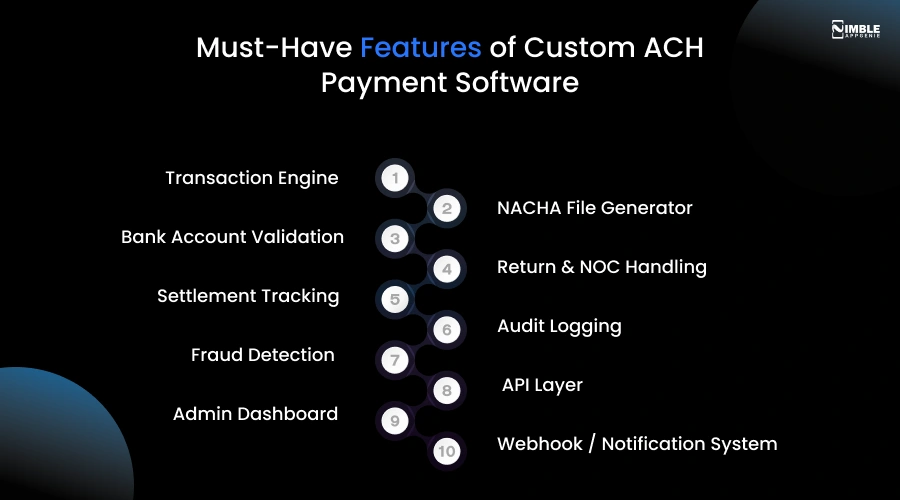
- Transaction Engine: Handles individual and batch ACH entries. Supports credits (pushing money out) and debits (pulling money in).
- NACHA File Generator: Creates properly formatted ACH files (fixed-width, 94-character records) with correct batch headers, entry details, and control records.
- Bank Account Validation: Verifies routing and account numbers before processing. Reduces return rates and NSF failures.
- Return & NOC Handling: Processes return codes (R01-R85) and Notifications of Change (C01-C07) automatically.
- Settlement Tracking: Tracks the status of each transaction from initiated to settled or returned.
- Audit Logging: Records every action with a timestamp, user ID, and change description for compliance.
- Fraud Detection: Flags suspicious patterns, velocity anomalies, and duplicate transactions.
- API Layer: REST or GraphQL API so your other systems and clients can trigger payments programmatically.
- Admin Dashboard: A management interface to view transactions, manage batches, and handle exceptions.
- Webhook / Notification System: Sends real-time event notifications to downstream systems when transactions change status.
NACHA Compliance Requirements – What You Need to Know
Fintech companies usually ask: “What are the NACHA compliance rules for ACH software?” or “How do I make ACH software secure and fraud-resistant?”
The answer to these questions is:
NACHA is the organization that governs the ACH network. Custom ACH payment software should comply with NACHA Operating Rules. Violations can lead to fines and loss of ACH network access.
Below is what you need to include in your NACHA-compliant software from day one.
NACHA Compliance Checklist
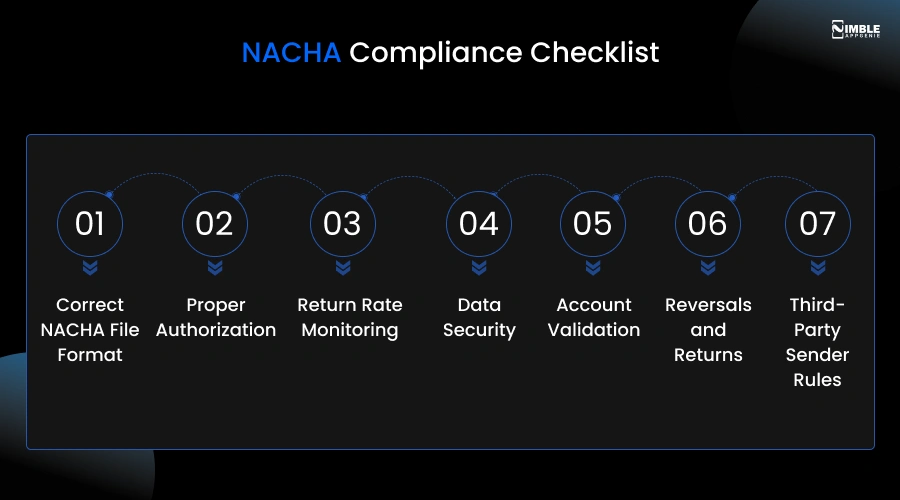
- Correct NACHA File Format: Files should follow the exact 94-character fixed-width format, including File Header, Entry Detail, Batch Header, Batch Control, Addenda, and File Control records.
- Proper Authorization: You must obtain written (or electronic) authorization from the account holder before debiting their account and store these authorizations securely.
- Return Rate Monitoring: Your comprehensive unauthorized debit return rate must stay below 0.5%. Administrative return rate must remain below 3%.
- Data Security: Sensitive data (bank account numbers, routing numbers) should be encrypted at rest and in transit.
- Account Validation: As of 2022, NACHA demands Originators to validate bank account ownership before the first ACH debit.
- Reversals and Returns: You must be able to process and respond to return codes within required timeframes (typically 2 banking days).
- Third-Party Sender Rules: If you originate payments on behalf of others, you need a Third-Party Sender agreement with your ODFI.
For a deeper look at encryption standards, access controls, and fraud prevention frameworks that apply to payment software, see our guide to fintech compliance best practices.
| Important: You will need an Originating Depository Financial Institution (ODFI) sponsor to originate ACH transactions. Your software connects to the ODFI. The ODFI connects to the ACH network. Work with your banking partner early in the build process. |
How to Build Custom ACH Payment Software: Step-by-Step
Below is a development roadmap to follow sequentially to build ACH payment software for small businesses and avoid the most common and costly mistakes.
You will get an answer to your questions:
- Can a startup build its own ACH processing software?
- How to build ACH payment software from scratch?
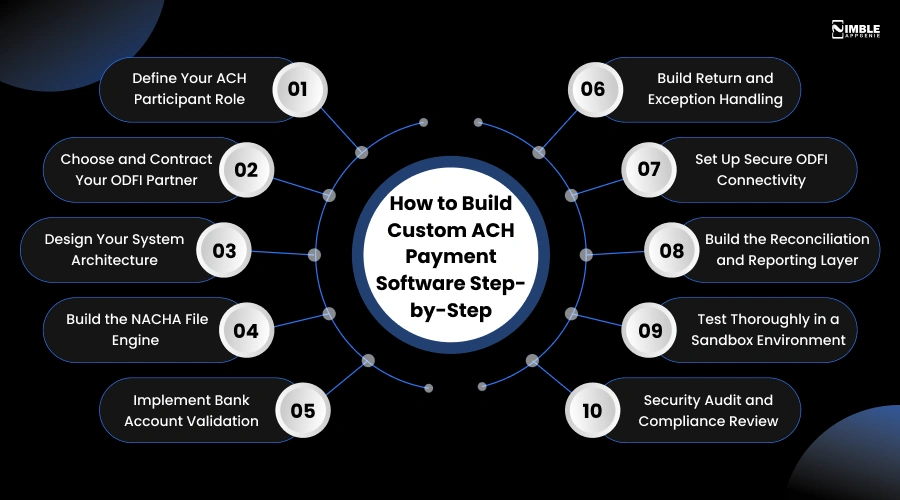
Step 1: Define Your ACH Participant Role
Are you a Third-Party Sender (you send on behalf of clients), an Originator (you send payments), or a Receiver (you accept payments)?
Your role determines your ODFI contract requirements, your NACHA obligations, and what features you need to build.
Step 2: Choose and Contract Your ODFI Partner
You can’t connect directly to the ACH network, which is a private company. You need a bank sponsor known as an Originating Depository Financial Institution (ODFI).
Popular options include Column Bank, Thread Bank, and Grasshopper Bank. Each has distinct API capabilities, fee structures, and volume limits. Evaluate at least three before you sign an agreement.
Step 3: Design Your System Architecture
Your core architecture needs three layers:
- Application Layer: Your business logic, APIs, and user interfaces
- Processing Layer: The NACHA file engine, batch processor, and return handler
- Integration Layer: Secure connection to your ODFI via SFTP or API
From the start, design for horizontal scalability. Payment systems usually have unpredictable traffic spikes around billing cycles or payroll dates.
Step 4: Build the NACHA File Engine
This is the technical core of your ACH software. The NACHA file is a plain-text file with a strict 94-character fixed-width format.
Each file contains:
- File Header Record (Type 1): Immediate destination, immediate origin, file creation date
- Batch Header Record (Type 5): Service class code, company name, SEC code (PPD, CCD, WEB, etc.)
- Entry Detail Record (Type 6): Transaction code, routing number, account number, amount, individual name
- Batch Control Record (Type 8): Entry count, hash total, debit/credit totals
- File Control Record (Type 9): Batch count, block count, entry count, total amounts
Build and test your file generator against NACHA validation tools before you launch your software. One formatting error can reject a complete batch.
Step 5: Implement Bank Account Validation
NACHA now requires you to verify account ownership before the first ACH debit. You have two main options:
- Micro-deposit verification: Send two small deposits and ensure the user confirms the amounts. Takes 1-2 days
- Instant verification: Use an API service like Plaid, Finicity, or MX to verify instantly via bank login. If you are new to how fintech APIs work in payment systems, our eWallet APIs integration guide covers the fundamentals.
Most modern ACH software utilizes instant verification for a better experience.
Step 6: Build Return and Exception Handling
Not all ACH transactions succeed. Returns happen when accounts have insufficient funds, are closed, or contain incorrect account information.
Your software should automatically process return codes (R01 through R85), trigger notification, update transaction statuses, and flag patterns that suggest fraud.
A return rate above NACHA thresholds will put your ODFI relationship at risk. Create powerful return handling before you go live.
Step 7: Set Up Secure ODFI Connectivity
Your ACH payment software needs to deliver NACHA files to your ODFI and retrieve return files. Most ODFIs support SFTP file transfer.
Key requirements for this connection:
- SSH key authentication (not password)
- IP whitelisting on both ends
- Automated file pickup and delivery on ACH network schedules
- End-to-end encryption for all file transfers
Step 8: Build the Reconciliation and Reporting Layer
Your finance team and your customers will need clear visibility into each transaction. Develop a reconciliation engine that matches outgoing transactions with bank settlement reports and flags any discrepancies.
Required reports embrace daily transaction summaries, batch status reports, return reports, and regulatory audit logs.
Step 9: Test Thoroughly in a Sandbox Environment
Never test ACH logic in production. Use your ODFI’s sandbox environment or a tool like ACH Test Simulator to run complete end-to-end tests, including returns, NOCs, success cases, and error conditions.
Testing with realistic volumes, like a system that handles 100 transactions effortlessly, may break at 100,000.
Step 10: Security Audit and Compliance Review
Before you go live, perform a third-party security audit. Test specifically for:
- SQL injection and API vulnerabilities
- Encryption key management
- Access controls and role-based permissions
- Sensitive data handling and storage
Also, review your NACHA compliance with a fintech compliance consultant or your legal team before processing live transactions.
Recommended Tech Stack for ACH Payment Software
“What programming languages are best for ACH payment systems?”
There is no single right answer here, but these technologies work well for production ACH systems based on real deployments. For a broader breakdown of how these components fit together in a financial application, see our finance tech stack guide.
| Layer | Recommended Options | Notes |
| Backend | Node.js, Python (Django/FastAPI), Java Spring | Python is popular for NACHA file parsing |
| Database | PostgreSQL, MySQL | Strong ACID compliance is needed for financial data |
| Message Queue | RabbitMQ, Apache Kafka | For async batch processing and event handling |
| Cache | Redis | Session management and rate limiting |
| File Transfer | SFTP with SSH keys | Standard for ODFI connectivity |
| API | REST (JSON) or GraphQL | REST is most universally supported |
| Cloud | AWS, Azure, GCP | Use dedicated compliance environments (HIPAA/PCI) |
| Encryption | AES-256 at rest, TLS 1.3 in transit | Non-negotiable for financial data |
ACH Payment Software Security Best Practices
Payment software is a high-value target for attackers. Security is not an afterthought. It is a first-class feature.
For the full breakdown of payment software security standards, including zero-trust architecture, MFA, and PCI DSS alignment, see our dedicated fintech security guide.
Encryption
- Encrypt all bank accounts and routing numbers using AES-256 at rest
- Use TLS 1.3 for all data in transit
- Never log full account numbers – mask them after storage
Access Controls
- Implement role-based access control (RBAC)
- Require MFA for all admin accounts
- Use the principle of least privilege – each service should access only what it needs.
Fraud Prevention
- Implement velocity checks (flag unusual transaction patterns)
- Add deduplication logic to prevent double-processing
- Monitor for account takeover patterns
- Maintain a blocklist of high-risk routing numbers and account patterns
ACH Software Development Costs and Timeline
Below is a realistic breakdown of building a production-ready custom ACH payment system from scratch.
| Phase | Timeline | Estimated Cost |
| Discovery & Architecture Design | 2-4 weeks | $10,000 – $25,000 |
| NACHA File Engine + Core Processing | 6-10 weeks | $30,000 – $60,000 |
| Bank Account Validation | 2-3 weeks | $8,000 – $15,000 |
| ODFI Integration + Testing | 3-5 weeks | $15,000 – $30,000 |
| Returns & Exception Handling | 3-4 weeks | $12,000 – $22,000 |
| Admin Dashboard + Reporting | 4-6 weeks | $15,000 – $30,000 |
| Security Audit + Compliance Review | 2-3 weeks | $10,000 – $20,000 |
| Total (MVP) | 6-9 months | $100,000 – $200,000+ |
For context on how ACH development costs compare to broader fintech app development costs, including eWallet and banking app builds, see our detailed cost breakdown guide.
Working with an experienced software development company like Nimble AppGenie can notably reduce timeline and cost by eliminating discovery network, architecture redesigns, and missteps.
How Nimble AppGenie Can Help You Build Custom ACH Payment Software?
Building ACH payment software is more complex than it sounds. Between NACHA compliance, security audits, ODFI partnerships, and the technical depth of the file engine itself, most development teams hit unexpected hurdles that blow budgets and delay launches.
That’s where Nimble AppGenie comes in.
We are a fintech development company that has helped startups, enterprise teams, and SaaS platforms build and launch custom payment systems, including ACH-powered solutions from scratch.
What We Bring to Your ACH Project
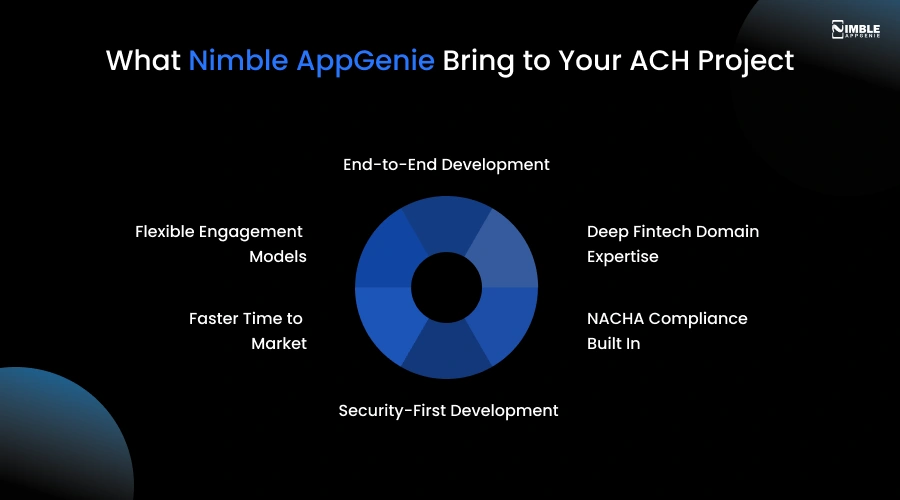
1. End-to-End Development
From architecture design to ODFI connectivity to the admin dashboard, we manage each layer of your ACH system. You get a dedicated, accountable team instead of a collection of freelancers.
2. Deep Fintech Domain Expertise
Our software developers have hands-on experience with NACHA file formats, ACH return code handling, compliance frameworks, and ODFI integration. We bring proven patterns from real deployments.
3. NACHA Compliance Built In
Compliance is a primary thought at Nimble AppGenie. We create authorization workflows, account validation, return rate monitoring, and audit logging for each ACH payment software development project from day one.
4. Security-First Development
Each system we deliver includes role-based access control, AES-256 encryption, a pre-launch security audit as standard, and fraud detection – not as an add-on.
5. Faster Time to Market
We have pre-built modules for common ACH components – NACHA file generators, bank validation flows, and return handlers that cut development time by 30-40 percent without cutting corners.
6. Flexible Engagement Models
Whether you need a staff augmentation, a dedicated team, or a fixed-scope MVP build, we structure engagements around your timeline and budget.
What Our Clients Say
“Nimble AppGenie delivered our ACH payment module three weeks ahead of schedule. Their team demonstrated stronger NACHA expertise than any other team we evaluated.” – CTO, B2B Payroll SaaS Platform
“We tried to build this in-house and got stuck on ODFI integration for months. Nimble AppGenie resolved it in two weeks and rebuilt the architecture properly.” – VP Engineering, Lending Fintech
Our ACH Development Process
| Phase | What We Deliver |
| Discovery | Architecture blueprint, ODFI vendor shortlist, compliance roadmap |
| Core Build | NACHA file engine, transaction processor, bank validation |
| Integration | ODFI connectivity, API layer, webhook system |
| QA & Security | Sandbox testing, security audit, NACHA compliance review |
| Launch & Support | Go-live support, monitoring setup, and ongoing maintenance |
Conclusion
Custom ACH payment software development is a serious undertaking. It demands deep technical knowledge, the right banking partnerships, and careful compliance planning.
But for the right fintech companies, it’s absolutely worth it. When you own your payment infrastructure, you control your costs, your user experience, and your competitive advantage.
The roadmap in this “build custom ACH payment software” guide gives you a clear path from idea to production. Start with your architecture design. Get your NACHA file engine right before you build anything else. Test deeply and never skip the security audit.
If you are ready to start, take the next step below.
FAQs

Niketan Sharma, CTO, Nimble AppGenie, is a tech enthusiast with more than a decade of experience in delivering high-value solutions that allow a brand to penetrate the market easily. With a strong hold on mobile app development, he is actively working to help businesses identify the potential of digital transformation by sharing insightful statistics, guides & blogs.
Table of Contents
No Comments
Comments are closed.